User Tools
The User Tools tab allows to create custom tools and group them on the ribbon.
The Edit group contains commands for pipeline editing.

The first command deletes a node in the linear pipeline. The second command commits the result of the selected node to the browser, where it can be stored into the filesystem. These two commands are replicated on most tabs of the ribbon.
The Tools group contains a button to save a tool, as well as the saved tools.
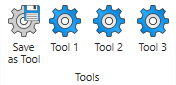
The first step is to actually create a tool. You do this by adding a sub-pipeline to the linear flow and name it appropriately, by editing its title in the linear flow. This name will become the name of the tool.

After doing that just click Save as Tool and it will appear on the ribbon.
Note that tool names must be unique. If a tool already exists, a dialog will pop p asking for permission to update it.

Tools are saved at: %USERPROFILE%/AppData/Local/Impuls/nVision
To load a tool just select the point of insertion on the linear flow and click on the desired tool ribbon button.